
Our new Email and Text tools make it simple to communicate with clients and staff. Here’s how to get started:
Email Feature
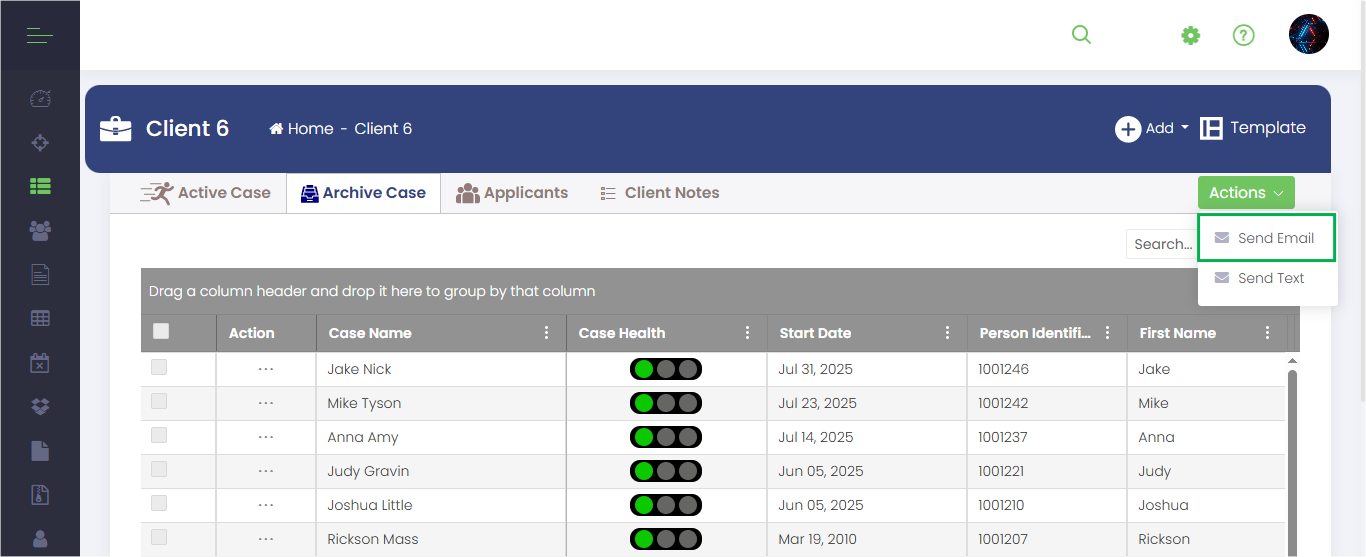
1. Open Email
Choose Send Email from the menu.
2. Pick Recipients
- Individual → Select a single worker or case contact.
- Group → Choose from predefined groups (e.g., All Cases, Active Workers) and refine with filters (Programs, Categories, Locations, etc.).
3. Compose Message
a. Add a Subject and Body.
b. Insert a Template:
- In the email editor, click Insert → Templates.
- A popup will show “Your Templates” (created by you) and “Shared Templates” (available to everyone).
- Select a template → it will load into the body (you can edit before sending).
c. Attach Documents: - At the bottom of the Email popup, click Add Documents.
- Choose a source:
• Worker Documents → Files stored in your Worker profile.
• Case Documents → Use filters (Cases, Programs, Categories, Locations, Health) to find the right case. - If you select a case, an Activity filter will appear. Choose the activity to view related documents.
- Select the document(s) → click Add, then Done.
- Attached files will appear at the bottom of your email.
4. Send
Review your message and click Send.
Text Messaging (SMS)
1. Open Text Messaging
Choose Send Text from the menu.
2. Pick Recipients
- Individual → Select one recipient.
- Group → Use the same group and filter options as email.
3. Write Message
Enter your text message.
4. Send
Click Send to deliver instantly.
Templates (Create & Manage)
1. Create a Template (for future use)
- Go to Profile → Email Templates → Add Template.
- Fill in details: Template Name, Email Subject, Content (with formatting if needed), Status (Active/Inactive), and Visibility:
• Owned by You → Only you can use it.
• Shared with Everyone → Available to all workers. - Click Save Template.
2. Manage Templates
From your Email Templates list, you can Edit, Delete, or Search/Filter templates.
Why This Matters
- Consistency → Shared templates keep all staff using the same messaging.
- Efficiency → No need to rewrite the same email over and over.
- Flexibility → Create personal templates or share them with the team.
- Productivity → Attach case or worker documents without leaving the message.